Private beta · By invitation only

Grow your practice.
Reclaim your life.

Legal research platforms give you information to wade through. LitigusAI does the work and hands it to you for review.

Pleadings to trial preparation Your format, your client folder Client files stay on your device
LitigusAI · best with sound on
A litigator alone at a desk late at night, surrounded by stacks of paper files, city lights behind him

The Old Way

Every attorney has a night like this.

Two motions are due on Friday, and there isn’t enough time to get them done. You can’t possibly read every document produced in discovery, do all the research, and write complete sets of motion papers before the deadline. So you pull another all-nighter.

The same litigator, relaxed with a coffee, reviewing the LitigusAI workspace on his monitor

The New Way

Skip the all-nighter.
Assign the motions to LitigusAI and let it work for you.

You describe what you need in plain English, the way you would brief a talented associate. LitigusAI takes it from there. It knows your files, knows the cases, and knows your personal writing style. It produces a complete set of papers, including exhibits. You review the work instead of doing it all from scratch. You get the night back.

01

LitigusAI reads the file.

The client documents, the correspondence, the pleadings. The whole folder already on your computer, read the way you would read it yourself.

02

LitigusAI analyzes the issues.

LitigusAI identifies what matters, researches it in the Litigus Library, and thinks the assignment through, not just the question you asked but the questions the file raises.

03

LitigusAI presents the plan.

LitigusAI returns with its questions and a plan of action for your review. You answer, adjust, and approve. You’re the responsible attorney, but LitigusAI handles the grunt work.

04

LitigusAI completes the assignment.

On your approval, LitigusAI carries out the plan and prepares the complete set of papers, cross-referenced, in your firm’s format, delivered to your client folder, ready for your review.

Persistent Matter Knowledge

A colleague who knows
every one of your cases.

A research tool answers the question in front of it and retains nothing of the matter behind it. LitigusAI proceeds from a standing knowledge of the case, informed by the record, the issues, and every decision made before it. The work returns to you prepared rather than merely researched, across the life of the matter. You never re-explain the case.

The Litigus Library

10.8M

Opinions in the Litigus Library

Our own library, updated daily, covering more than 2,100 Federal, State, territorial, and specialty courts. Research is unlimited on every plan.

Legacy Research

Familiar, but faster

Legacy Research works like the traditional, non-AI research tools you used on Westlaw and Lexis, but it runs on infrastructure built for your LitigusAI agents. You get a massive performance increase over what you are used to.

Agent-scale

Built for parallel research

Your agents routinely fire dozens of searches in parallel on purpose-built hardware that handles the load without buckling. The result is better legal research in a fraction of the time.

Start to finish

From the first pleading through trial preparation.

I

Pleadings

Complaints, answers, and responsive motions, drafted from the file and the facts.

II

Discovery

Demands, responses, document review, and timelines. Prepared, tracked, and kept moving.

III

Motions

Complete motion sets, researched, drafted, cross-referenced, and assembled for your review.

IV

Depositions

Outlines, exhibits, and preparation built from the record LitigusAI has carried since the first pleading.

V

Trial prep

The record organized and the arguments worked through before you walk into court.

The Workspace

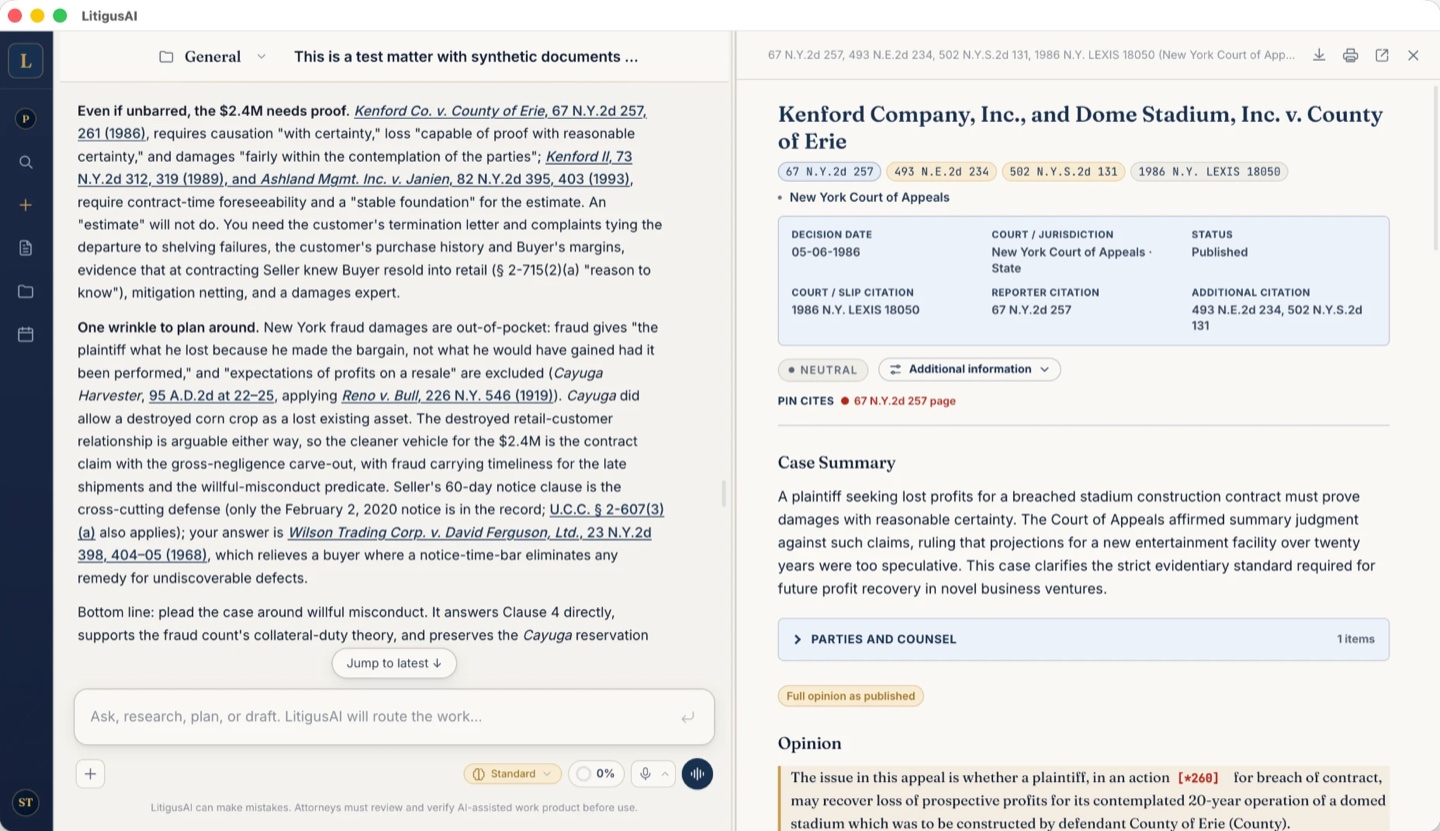
LitigusAI reports its progress on every assignment.

This is the actual LitigusAI workspace, shown on a sample matter.

The actual LitigusAI desktop workspace: matter threads on the left, a drafted research memorandum with verified citations in the center, and the assignment input below
LitigusAI Desktop · Sample matter Actual product · Work shown awaits attorney review

The Motion Set

Every paper
the motion needs.

A motion is not one paper. It is the notice, the memorandum of law, the supporting affidavits, and the exhibits attached to them. LitigusAI prepares them as one coordinated set.

Sample motion set · As delivered to your client folder
01

Notice of Motion

For your review
02

Memorandum of Law

Cited & verified
03

Attorney Affirmation

Record cites
04

Client Affidavit

For execution
05

Exhibits

A–F, tabbed & attached

Complete package

Notices of motion, orders to show cause, affidavits, memoranda of law, affirmations, and supporting papers, prepared together.

Cross-referenced

Facts, defined terms, exhibit references, and requested relief carried consistently through the set, ready for attorney review.

Your format. Your client folder.

LitigusAI applies your firm’s approved format, organizes the exhibits, creates the exhibit tabs, and saves the completed set where you direct.

LitigusAI adapts to your needs and style as you use it

LitigusAI gets better every time you use it.

During onboarding, LitigusAI interviews you about your practice and writes a custom instruction profile that governs how every assignment is handled. As you work together, it refines those instructions to match how you actually practice law.

It learns from every assignment.

Every time it completes an assignment, it learns from what worked and what it had to adjust. The next assignment benefits from that experience. The more you use it, the sharper it gets.

Safeguards screen every improvement.

Built-in safeguards review every improvement before it takes effect, and every change is saved so you can undo it. Nothing requires your attention.

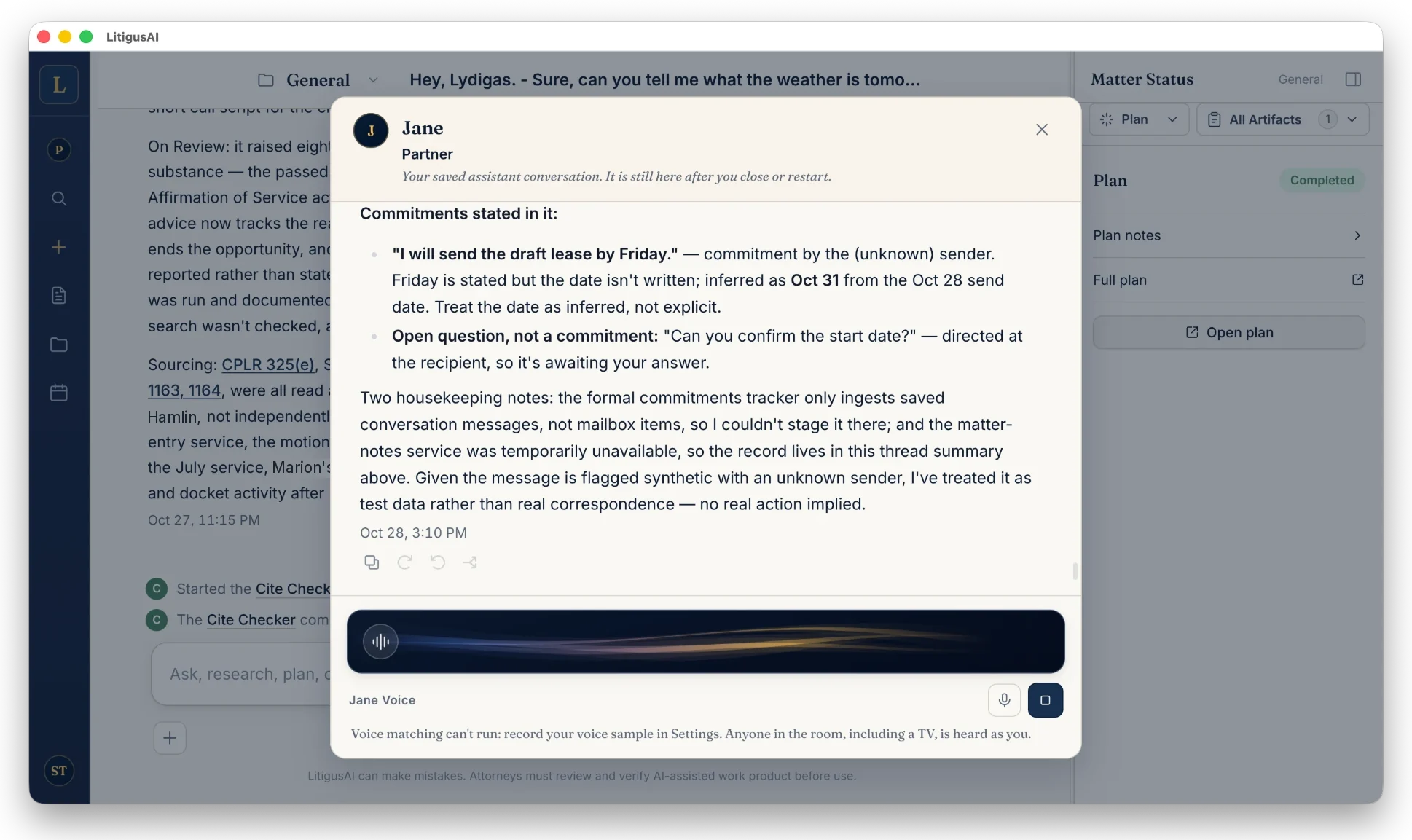
LitigusAI learns to write in your voice.

Every edit you make teaches LitigusAI your formatting, your phrasing, and your voice. The drafts start sounding like yours, not ours.

The improvements happen in the background, scoped to your practice, and they never leave your device.

Beyond drafting

LitigusAI helps run your entire practice.

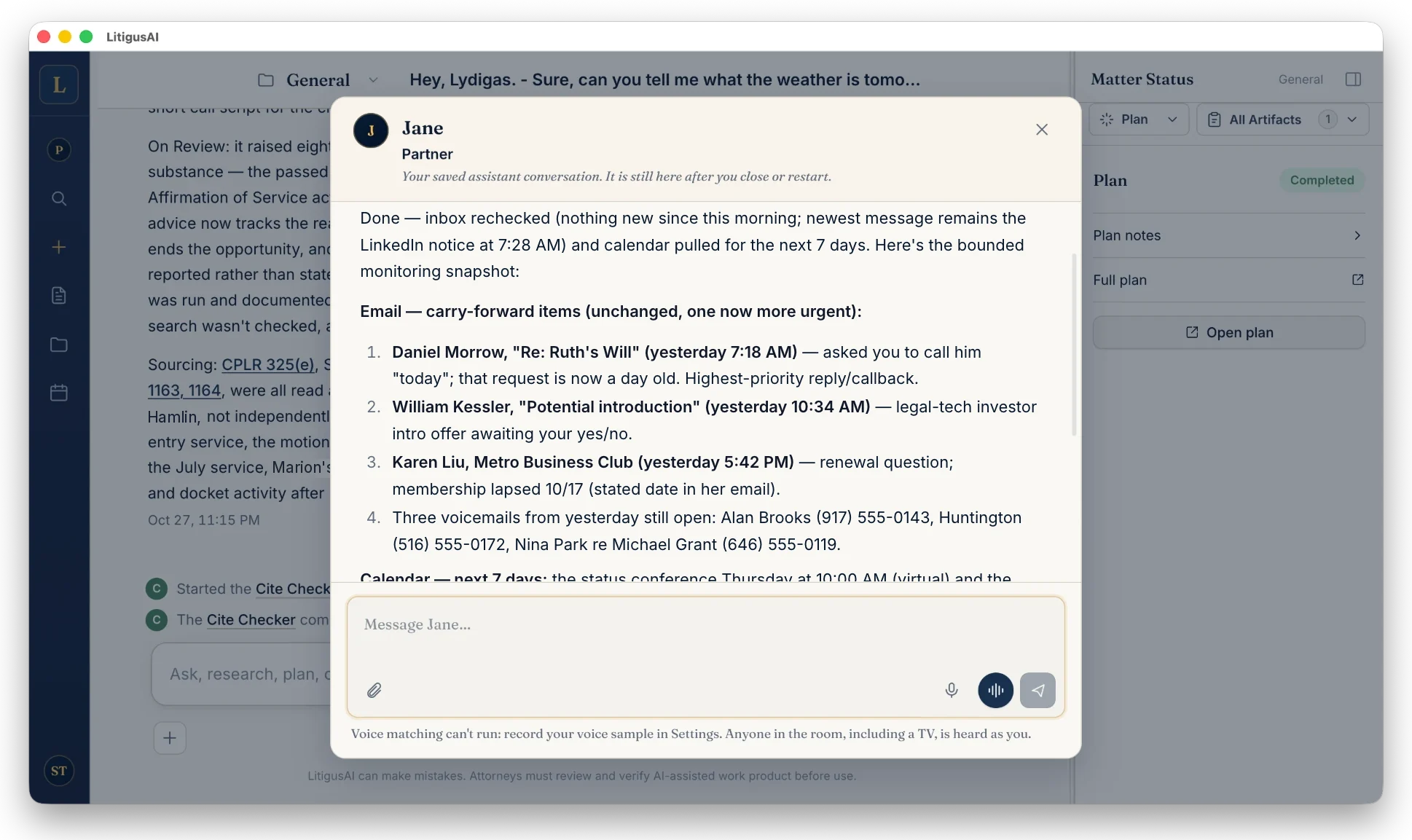
LitigusAI is not just a drafting platform. It connects to your email, calendar, files, and billing platform, and does the daily work inside them.

Case file, authorities, drafted papers, exhibits, and a complete filing set assembled in sequence

Your cases

  • File

    Reads the file and evaluates the case

  • Law

    Researches the law and verifies the citations

  • Drafts

    Drafts pleadings, motions, discovery papers, and correspondence

  • Filing set

    Assembles the exhibits and the filing set

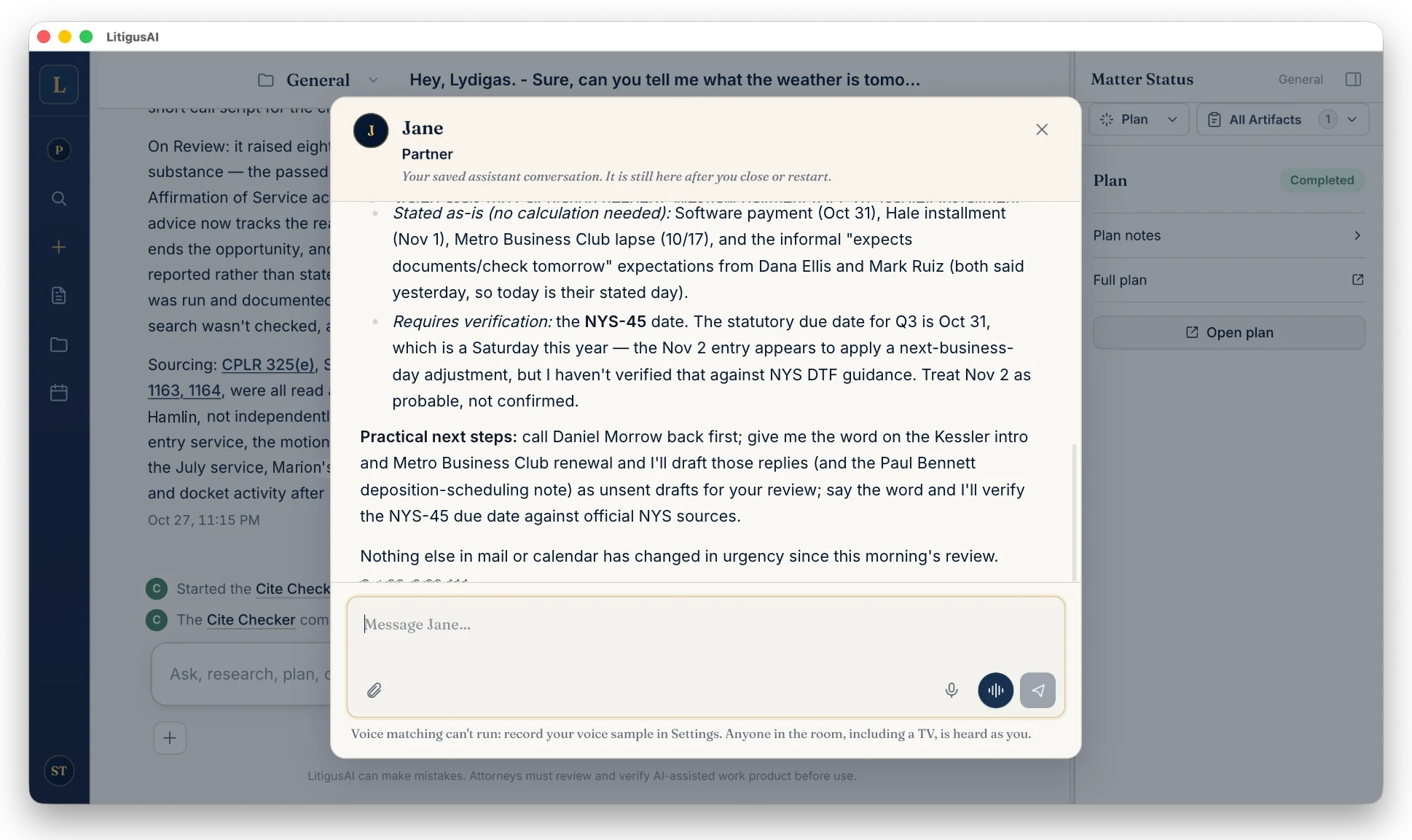
Incoming correspondence connected to the matter file, a substantive draft saved for review, and a calendar reminder

Email and Calendar

Reviews your Gmail or Outlook email at your request or on a set schedule, from clients, adversaries, co-counsel, courts, and referral sources.

  • Inbox

    Identifies what needs a response from its understanding of your clients and practice

  • Context

    Reviews the client file and related emails, and researches when needed

  • Draft

    Drafts a substantive reply in your voice that it saves to your Drafts folder for you to review and send

  • Calendar

    Puts court dates and deadlines, appointments and meetings on your calendar, with reminders

Time record, invoice narrative, legal update, and matter history organized as daily practice administration

Office Administration

  • Time entries

    Creates time entries from the work as it happens and posts them to your billing platform

  • Invoices

    Prepares invoice narratives for your review

  • Decisions

    Monitors new decisions in your practice areas and reports the ones that affect your cases

  • Matter memory

    Remembers every matter’s history, your instructions, and your prior work

LitigusAI works with the systems your practice already runs on.

Your files

Your own folders

Productivity ecosystems
Microsoft 365 Google Workspace
Practice-management platforms
Clio MyCase PracticePanther Smokeball Filevine

Your files stay where they are. There is nothing to migrate and no new system to learn.

You get hours back: time you can spend on building your practice or enjoying with your family.

The Foundation

Your clients’ documents never get uploaded to the cloud.

Your client’s privileged information never becomes someone else’s asset: not a model provider’s, not ours, not anyone’s.

LitigusAI is built the other way around. It is a desktop application, and the work happens where the file already lives, on your licensed device, in the folders you control, under the protections your firm already maintains. Cloud services orchestrate only the processing you approve; no client document or data is ever stored on LitigusAI hardware, and none of it is used to train any model.

LitigusAI has no client-file vault on our servers. Custody stays with you. Read the security overview.

On your device

Matter work and client files remain on your licensed device, inside the controls your firm already maintains.

Never used for training

Your clients’ documents and data are never used to train any model, not by LitigusAI and not by any provider.

Zero Data Retention

LitigusAI was designed to be a zero-data-retention platform. You will never upload client documents to LitigusAI, and no copy of any client data is ever saved to our infrastructure. Every vendor that processes data for us operates under strict zero-data-retention terms. No client data is stored on our hardware, and there is no second copy of the matter on anyone else’s server.

Portrait of Stephen E. Turman, founder of LitigusAI
“I’ve been a commercial litigator since graduating from Cornell Law in 1999, and I still love the work itself. What weighs on every litigator is everything around it: the demands of a growing practice, the sheer volume of preparation, and never enough hours for the work that actually moves a case. So I spent two years taking my own practice apart, down to its smallest parts, teaching AI to prepare a case the way I do. The prototype was built for my practice. LitigusAI is built for yours.

Stephen E. Turman · Founder, LitigusAI LLC · Turman Legal Solutions PLLC · Cornell Law 1999

Read the origin story

Platforms and integrations

LitigusAI integrates with the most popular productivity applications.

A native desktop application for macOS and Windows 11. Mobile apps for iOS, iPadOS, and Android. Connect once, and LitigusAI works from your files and matters.

Desktop

macOS Windows 11 LinuxComing soon

Mobile

iOS iPadOS Android

Compatibility

Plugins bring LitigusAI inside Microsoft Word and Google Docs. Microsoft 365 and Google Workspace connections expand from there; tell us what your firm needs in your application.

Microsoft 365 · desktop and cloud

WordPlugin Outlook Excel OneDrive SharePoint

Google Workspace

DocsPlugin Google Drive Gmail Calendar Sheets

Connects to

LitigusAI works with the documents, folders, and versions across your matters. Practice-management connections include Clio, MyCase, PracticePanther, Smokeball, and Filevine, and time entries from the work itself post to your platform. If your firm runs on a different system, tell us in your application.

Questions from counsel

Questions.

Is this another legal chatbot?+

No. Chat products and research platforms start cold in a browser tab and hand you back text to carry into other tools. LitigusAI is a desktop application that works from the client file on your computer, keeps one continuous understanding of the matter, and delivers finished, formatted work product to your own folders.

What happens to my client’s data?+

Your files stay on your machine. Model requests are processed under a strict zero-data-retention policy, ours and every vendor’s, so prompts and outputs are never retained or used to train a model. No client data is stored on our hardware, and no second copy of the matter exists on anyone else’s server. See the security overview for the full architecture.

What does LitigusAI actually produce?+

From first pleading to trial preparation, LitigusAI drafts the full record of the case: pleadings, discovery demands and responses, document review, timelines, complete motion sets with exhibits tabbed and attached, deposition preparation, and trial materials. Each deliverable is prepared in your firm’s format, cross-referenced against the record, and delivered to the client file you designate, ready for attorney review.

Is the research reliable?+

Citations in delivered work are checked against the opinions. You still review before filing.

How do I get access?+

The beta is invitation only. Apply below. We review applications as seats open.

Who is the private beta for?+

Civil litigators who will run real matters on a desktop Mac or Windows machine and give candid feedback.

The Private Beta

Put LitigusAI to work in your practice.

The beta is invitation only. We are selecting a small founding cohort of litigators across platforms, practice-management systems, and productivity suites.